As an Amazon Associate, Tarkov Season earns from qualifying purchases. Picks are ours; a purchase through a link costs you nothing extra.
Tarkov punishes a weak link. A slow CPU turns Streets into a slideshow, a muddy headset hides the footsteps above you, and a mouse that skips on a flick costs you the fight before you see it. This page lists the top-end parts we would put in a Tarkov setup, one category at a time, starting with the pieces that matter most for this game.
Everything here is premium gear. If you are building on a budget, this is not that list. Stock on the newest graphics cards moves fast, so check the listing before you plan a build around one.
Processor: start here
Tarkov leans on the CPU far more than most shooters, and big raids like Streets and Lighthouse are where a slow chip shows. The AMD X3D line, with its extra stacked cache, is the most common pick among players chasing frames. Reports differ by map and by generation, so treat it as the community favorite rather than a guarantee.

AMD Ryzen 7 9800X3D
Eight cores with 96MB of L3 cache on AMD's Zen 5 design and 3D V-Cache, boosting up to 5.2GHz on the AM5 socket. The default choice for a Tarkov build. No cooler in the box.
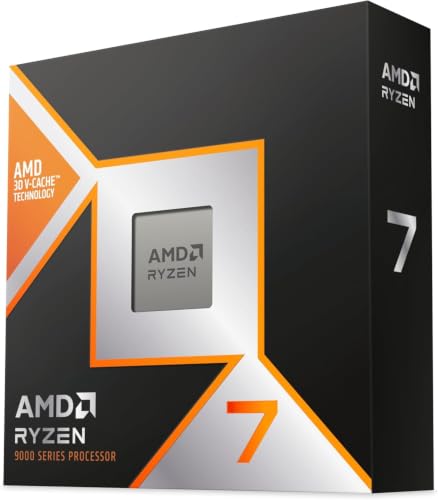
AMD Ryzen 7 9850X3D
The newer eight-core X3D part in the same family. Pick it if you want the latest chip in this class on AM5.

AMD Ryzen 9 9950X3D
Sixteen cores, boost up to 5.7GHz. Worth it if you also stream, edit or render on the same machine; for Tarkov alone the eight-core parts are the better fit.
More picks and the reasoning: best CPU for Tarkov
Graphics card
Once the CPU is sorted, the graphics card decides how far you can push resolution, refresh rate and settings. At the top end that means an RTX 5090 or a 5080. Both support DLSS 4 and Reflex.

ASUS ROG Astral RTX 5090 OC
32GB of GDDR7 on a 512-bit bus with 21,760 CUDA cores, cooled by four fans and a vapor chamber. Three DisplayPort 2.1b and two HDMI 2.1b outputs, plus a support bracket to stop sag.

MSI RTX 5090 SUPRIM SOC
MSI's flagship air-cooled 5090 with 32GB of GDDR7. A strong pick if you want the top card without liquid cooling.

Gigabyte AORUS RTX 5090 Xtreme WATERFORCE
A 5090 with its own all-in-one liquid cooler and a metal backplate. Good for small or hot cases where a quad-fan card will not fit or will not breathe.

ASUS TUF Gaming RTX 5090
The same 32GB 5090 chip in ASUS's tougher, triple-fan TUF build, with the same five display outputs and a GPU holder in the box.

ASUS ROG Astral RTX 5080
16GB of GDDR7 under a four-fan, 3.8-slot cooler with a phase-change thermal pad. The 5080 to get if you want quiet and cool.

MSI RTX 5080 SUPRIM Liquid SOC
A liquid-cooled 5080 with 16GB of GDDR7. MSI recommends at least an 850W power supply.

NVIDIA RTX 5080 Founders Edition
NVIDIA's own two-slot design on the Blackwell architecture, with DLSS 4 and Reflex 2. The compact option.
More picks and the reasoning: best graphics card for Tarkov
Memory
Tarkov is known for eating memory on the bigger maps. A matched 32GB DDR5 kit at 6000 with CL30 timings is the usual pairing for AM5 X3D chips; turn on the EXPO profile in the BIOS to get the rated speed.

G.SKILL Trident Z5 Neo RGB 32GB DDR5-6000 CL30
A 2x16GB kit built for AMD with an EXPO profile. Buy it as one matched kit; mixing kits causes instability.

CORSAIR Vengeance RGB 32GB DDR5-6000 CL30
2x16GB at 6000 with CL30-36-36-76 timings, AMD EXPO support and onboard voltage regulation tuned through iCUE.
More picks and the reasoning: best RAM for Tarkov
Monitor
At 1440p a fast OLED is the sweet spot for Tarkov: dark interiors stay readable, and motion is very clean. Go 4K only if you have a 5090 and care more about the view than the frame rate.

ASUS ROG Swift PG27AQWP-W
26.5-inch 1440p tandem OLED at 540Hz, or 720Hz at 1080p in dual mode, with a 0.02ms response time and a glossy panel. A proximity sensor blanks the screen when you step away to protect against burn-in.
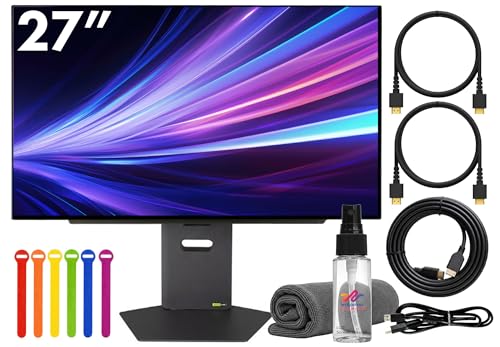
LG UltraGear OLED 27GX790A
27-inch 1440p OLED at 480Hz with a 0.03ms response time, G-Sync and FreeSync Premium Pro, and a stand with height, tilt, swivel and pivot.

Alienware AW2725DF
27-inch 1440p QD-OLED at 360Hz with DisplayHDR True Black 400. The longest-running model in this group.
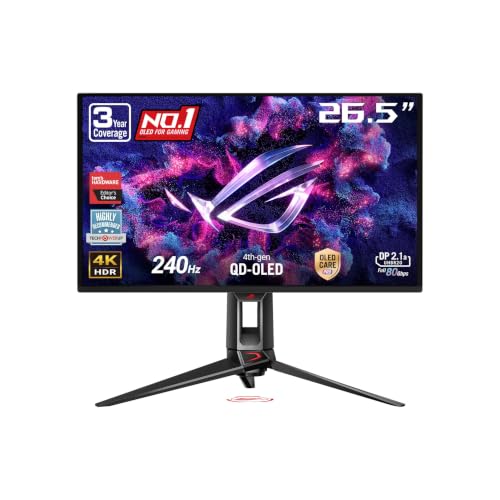
ASUS ROG Swift PG27UCDM
26.5-inch 4K QD-OLED at 240Hz with DisplayPort 2.1a at full 80Gbps bandwidth. For the 5090 owner who wants Tarkov sharp rather than fast.
More picks and the reasoning: best monitor for Tarkov
Headset
Sound is information in Tarkov: footsteps on the floor above, a door opening, a reload behind cover. A good headset with a clear mic for your squad matters as much as your GPU.

SteelSeries Arctis Nova Elite
Hi-Res certified 96kHz/24-bit wireless over 2.4GHz or Bluetooth, carbon fiber drivers, active noise cancellation and an AI noise-rejecting mic. Mixes up to four sources at once.

SteelSeries Arctis Nova Pro Omni
Hi-Res wireless with ANC and the ClearCast Pro mic, and it connects up to five devices so the PC and a console can share one headset.

Logitech G PRO X3 LIGHTSPEED
50mm graphene drivers, a 48kHz full-bandwidth mic, a 10-band EQ for sharpening in-game cues, and up to 70 hours of battery.
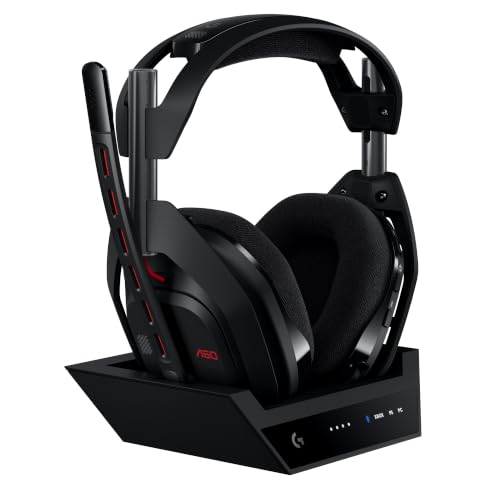
Logitech G Astro A50
24-bit LIGHTSPEED wireless with graphene drivers and three-system switching between PC, Xbox and PlayStation from the earcup.
More picks and the reasoning: best headset for Tarkov
Open-back headphones and an amp
Many Tarkov players skip gaming headsets for open-back headphones, which give a wider sense of space for placing sounds. Pair them with a desktop amp and a separate mic.

Sennheiser HD 660S2
Open-back with 42mm transducers and an ultra-light aluminum voice coil, tuned for detailed highs and deep, controlled bass.

Sennheiser HD 650
The long-running open-back reference, with hand-matched drivers and acoustic silk damping for very low distortion.

Sennheiser HD 490 PRO
Open-back studio headphones with a very wide soundstage and precise localization, plus two sets of washable, replaceable pads.
More picks and the reasoning: best headset for Tarkov
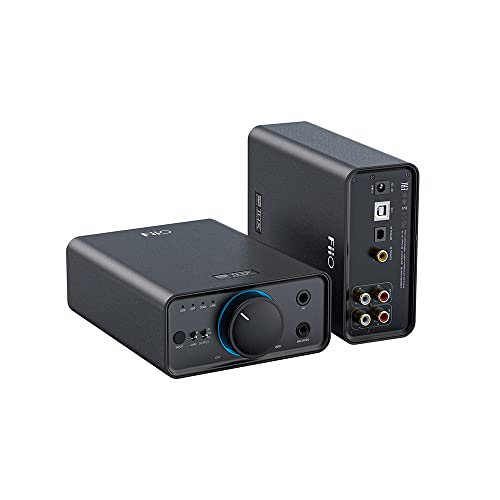
FiiO K7 desktop DAC and amp
Dual AK4493SEQ DACs and dual THX AAA 788+ amps with up to 2000mW from the 4.4mm balanced output, enough to drive full-size headphones like the ones above. USB, optical and coaxial inputs.
Mouse
Light, wireless and fast to poll. All three of these are built with pro players and use top-tier sensors.

Razer Viper V4 Pro
49g wireless with true 8000Hz polling, an optical scroll wheel and the Focus Pro 50K Gen-3 sensor. Up to 180 hours of battery at 1000Hz.

Logitech G PRO X2 SUPERSTRIKE
Adjustable click actuation with rapid trigger reset and haptic feedback, the HERO 2 sensor and 8kHz LIGHTSPEED wireless.

Logitech G PRO X Superlight 2 DEX SE
A 60g right-handed shape with LIGHTFORCE hybrid switches, the HERO 2 sensor and up to 88 hours of battery.
More picks and the reasoning: best mouse for Tarkov
Keyboard
Analog and magnetic switches let you set how deep a key has to go before it fires, and rapid trigger resets the key the moment you lift. That makes peeking and stopping sharper.

SteelSeries Apex Pro TKL Gen 3
OmniPoint 3.0 magnetic switches with Rapid Trigger, Rapid Tap for faster strafes, and a Protection Mode that cuts accidental presses on nearby keys.

Razer Huntsman V3 Pro TKL 8KHz
Analog optical switches with 0.1 to 4.0mm adjustable actuation, Rapid Trigger, Snap Tap and 8000Hz polling, all adjustable on the board itself.
More picks and the reasoning: best keyboard for Tarkov
Mousepad
Tarkov fights are often slow and deliberate, so a controlled pad beats a fast one for most players.

Artisan FX Zero XL (Soft)
The Japanese pad many players swear by: knitted polyester over 4mm of special foam, 490 by 420mm.

Pulsar Saturn Pro XL (Firm)
A slow, controlled glide built for tactical shooters, with a lightly textured circular knit and low stitched edges.
Chair
Raids are long and sessions are longer. A chair that holds your back up is the upgrade you feel every day.

Herman Miller Embody
Designed with input from more than 20 physicians and researchers, with a spine-like back you adjust to your own curve and a seat that conforms as you move.

Secretlab Titan Evo
Cold-cure foam with a magnetic memory foam head pillow. The gaming chair most people mean when they say gaming chair.

Steelcase Gesture
360-degree arms, a contoured back that follows your spine, and a full recline range with an upright lock.
Pair this with a solid build plan for the season: the Season 2 modifier calculator shows what each personal modifier costs or earns, so you can plan your character as carefully as your rig.
FAQ
What is the most important PC part for Tarkov?
For most players it is the processor. Tarkov is known for being CPU-heavy, especially on large maps like Streets, so a fast CPU usually matters more than the graphics card.
Is an X3D processor worth it for Tarkov?
The AMD X3D chips are the most common recommendation from Tarkov players because of their large cache. Results vary by map and by chip generation, so it is a strong default rather than a guaranteed gain.
Do I need an RTX 5090 for Tarkov?
No. A 5090 makes sense if you want high frame rates at 4K or maximum settings. At 1440p an RTX 5080 is plenty for most players, and the CPU will often be the limit first.
Is a gaming headset or open-back headphones better for Tarkov?
Both work. Gaming headsets bundle a good mic and wireless convenience. Open-back headphones give a wider sense of space for placing sounds but need a separate mic and often an amp.
Pingback: Safecracker: Tarkov Season 2 Modifier (-4), Keys & Keycards
Pingback: Reps Builders: Tarkov Season 2 Modifier (-2 Points)
Pingback: Polydipsia: Tarkov Season 2 Modifier (+1), Faster Thirst
Pingback: No Scav Runs: Tarkov Season 2 Modifier (+3 Points)
Pingback: No Repairs: Tarkov Season 2 Modifier (+2), Trader Repairs Off
Pingback: Unlucky Modifier in Tarkov Season 2: What We Know (+1)
Pingback: Sailor's Nostalgia: Tarkov Season 2 Modifier (-2) Explained
Pingback: Youth: Tarkov Season 2 Modifier (-6), Stamina Boost
Pingback: Introvert Modifier in Tarkov Season 2: Solo XP Boost (-1)
Pingback: Personality Vacuum: Tarkov Season 2 Modifier (+6)
Pingback: Exhaustion: Tarkov Season 2 Modifier (+5) Explained
Pingback: Enhanced Secure Container: Tarkov Season 2 (-2)
Pingback: Coagulopathy: Tarkov Season 2 Modifier (+3), Heavy Bleeds
Pingback: Peacekeeper's Insurance: Tarkov Season 2 Modifier (-4)
Pingback: No Love From Fence: Tarkov Season 2 Modifier (+2)
Pingback: Best Monitor for Tarkov: 5 High-End OLED Gaming Monitors
Pingback: Tarkov Season 2 Rules: Points, Global Modifiers, Leagues
Pingback: Smart PMCs: Tarkov Season 2 Global Modifier (+25% Skills)
Pingback: Supply Shortage: Tarkov Season 2 Global Modifier Explained
Pingback: Peace Market: Tarkov Season 2 Flea Market Rules Explained
Pingback: Best RAM for Tarkov: 5 High-End DDR5 Memory Kits
Pingback: Best Graphics Card for Tarkov: 7 RTX 5090 and 5080 Picks
Pingback: Best Mouse for Tarkov: 6 High-End Wireless Gaming Mice
Pingback: Best Keyboard for Tarkov: 5 High-End Analog Keyboards
Pingback: Best CPU for Tarkov: 5 High-End AMD Ryzen X3D Picks